
MapLead CRM
MapLead CRM is a business lead generation and outreach management platform designed to help agencies, web developers, SEO consultants, and freelancers discover real businesses, identify potential opportunities, organize prospects, and manage their outreach without juggling multiple tools.
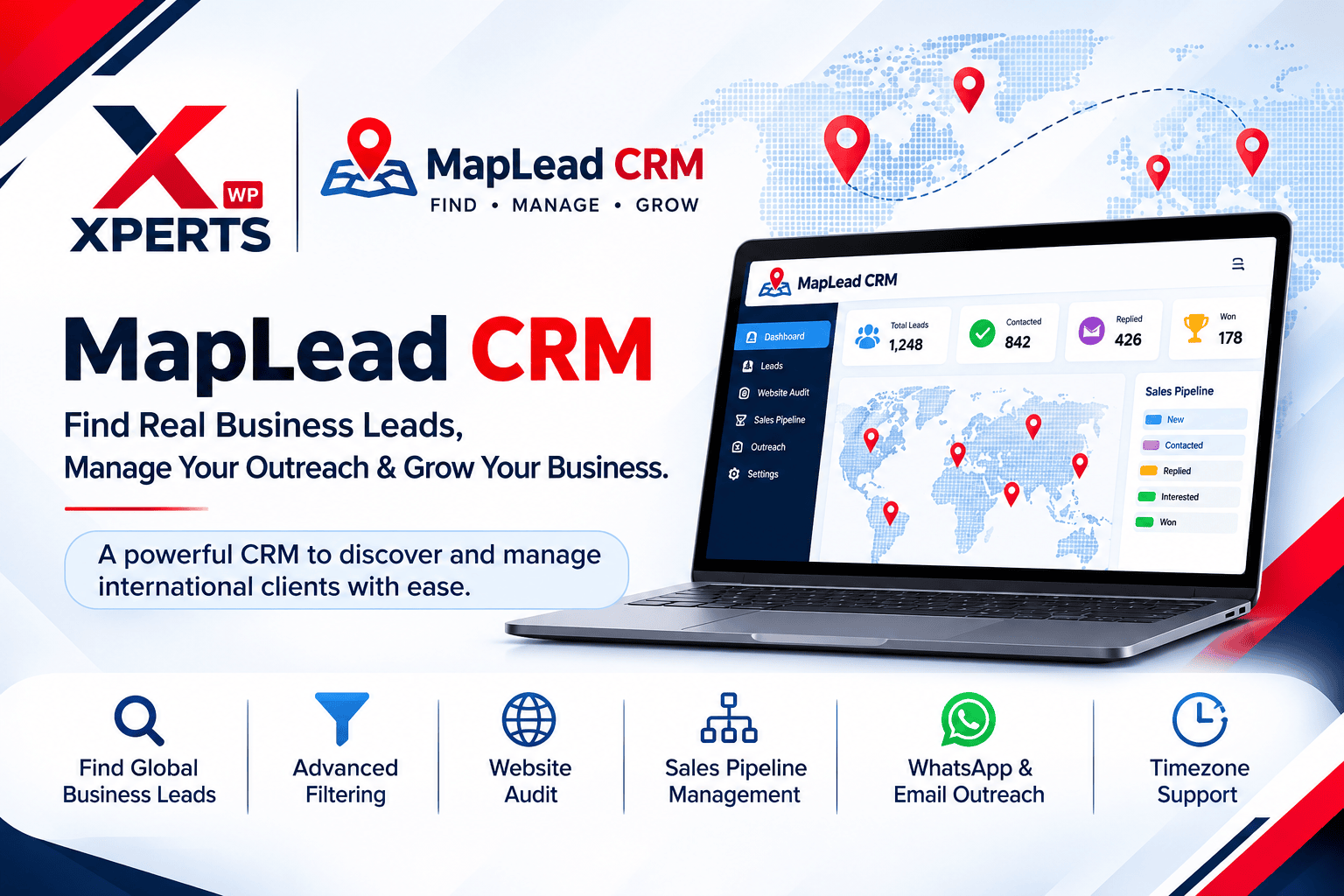
Find Business Leads, Discover Opportunities & Manage Client Outreach in One Place
Finding potential clients is one thing. Finding the right businesses, understanding their needs, reaching out at the right time, and following up consistently is another challenge altogether.
If you’re running a digital marketing agency, offering SEO services, building websites, or working as a B2B freelancer, you probably know how much time goes into prospecting and managing leads.
You might spend hours searching Google Maps, checking business websites, collecting contact information, preparing outreach messages, and maintaining spreadsheets just to keep track of potential clients.
What if you could manage most of that prospecting workflow from one organized platform?
That’s exactly why we built MapLead CRM at XpertsWP.
MapLead CRM is a business lead generation and outreach management platform designed to help agencies, web developers, SEO consultants, and freelancers discover real businesses, identify potential opportunities, organize prospects, and manage their outreach without juggling multiple tools.
Whether you’re looking for businesses that need a website, companies with SEO opportunities, or potential clients in international markets, MapLead CRM helps you organize the process from discovery to follow-up.
What Is MapLead CRM?
MapLead CRM is a local business lead generation and CRM platform that combines live Google Places discovery, website analysis, contact information discovery, and sales pipeline management.
Instead of manually searching for businesses and maintaining separate spreadsheets, you can discover potential prospects by business category and location, review their information, identify opportunities, and manage your outreach from one dashboard.
It’s particularly useful for:
- Digital marketing and SEO agencies
- WordPress and web development agencies
- Website designers and developers
- B2B freelancers and consultants
- Lead generation professionals
- Businesses offering digital services internationally
Key Features That Make MapLead CRM Useful
1. Discover Real Businesses Through Google Places
Finding businesses in your target market shouldn’t require endless manual searches.
MapLead CRM integrates with Google Places to help you discover real-world businesses based on your preferred niche and location.
For example, you can search for:
- Dentists in New York
- Roofing contractors in Texas
- Restaurants in London
- Plumbing companies in Dubai
- Real estate agencies in Toronto
- Local businesses in any target market supported by Google Places
You can review business names, locations, ratings, reviews, phone numbers, website information, and other available business details.
This gives you a practical starting point for identifying potential prospects instead of building your lead list entirely by hand.
2. Smart Filters to Find Better Opportunities
Not every business is the right prospect for your services.
MapLead CRM includes filtering options that help you narrow down your search based on different business attributes.
You can filter prospects using:
- Business categories and niches
- Cities and locations
- Star ratings and review counts
- Businesses with or without websites
- Businesses with discovered email addresses
- Phone and WhatsApp availability
- Website and outreach status
- CRM pipeline stages
For example, if you provide WordPress development services, you can focus on businesses that don’t have a website or may benefit from a website redesign.
If you offer Local SEO, you can research businesses in your target locations and identify potential opportunities for your services.
3. Website Auditing & Contact Email Discovery
A business website can tell you a lot about potential service opportunities.
MapLead CRM includes a website crawler that checks prospective business websites and looks for publicly available contact email addresses.
It can also detect website technologies and platforms, including:
- WordPress
- Shopify
- Wix
- Squarespace
- Webflow
- Custom-built websites
Additionally, it checks whether an HTTPS SSL certificate is present.
This information can help you understand a prospect’s existing online presence before preparing an outreach message.
For example, a web development agency might identify a business using an outdated website platform, while an SEO consultant might prioritize prospects for further website and search visibility analysis.
4. WhatsApp & Email Outreach from One Dashboard
Finding a prospect is only the beginning. The next step is starting a conversation.
MapLead CRM makes outreach easier by providing WhatsApp and email launch options directly from lead records.
You can choose from different agency-focused outreach strategies, including:
- No-Website Modern Setup
- Website Redesign & Conversion
- Local SEO & Google Maps
- After-Hours AI Automation
- Paid Ads & Digital Marketing
- Custom Agency Strategy
The CRM prepares personalized message drafts using available business information, such as business name, category, location, and rating.
You can review and edit the message before opening WhatsApp or your preferred email client.
It also records outreach activity so you can keep track of when you contacted a prospect and which strategy you used.
Important: MapLead CRM helps prepare and launch your outreach. Messages are reviewed and dispatched by you; it does not silently send unsolicited messages.
5. Visual CRM Pipeline Management
One of the biggest problems with manual lead generation is losing track of conversations.
You contact a business, receive a reply, promise to send a proposal, and then forget to follow up.
MapLead CRM helps organize your sales process through an interactive Kanban pipeline with six stages:
- New Lead: Newly discovered business prospects.
- Contacted: Businesses you’ve approached.
- Replied: Prospects who have responded.
- Interested: Potential clients showing interest.
- Deals Won: Successfully converted clients.
- Archived / Lost: Prospects who are no longer active opportunities.
You can move leads between stages using the drag-and-drop Kanban board or manage them through the detailed leads table.
You can also search, filter, sort, update, import, and export your lead records.
This makes it easier to understand where your opportunities stand without maintaining multiple spreadsheets.
6. Follow-Up Management That Helps You Stay Consistent
Sometimes, a potential client doesn’t respond to the first message. That doesn’t necessarily mean they’re not interested.
Consistent and professional follow-ups can help keep conversations moving.
MapLead CRM includes a follow-up management system that identifies overdue prospects based on your configured follow-up interval.
You can:
- Identify leads that need another follow-up.
- See which outreach strategy was previously used.
- Prepare follow-up messages for WhatsApp and email.
- Track follow-up activity and history.
- Exclude won or lost deals from overdue reminders.
You can configure your follow-up window from 1 to 30 days, with a default of 3 days.
Instead of repeatedly checking your spreadsheet, you can quickly identify which prospects need attention.
7. International Business Hours & Timezone Intelligence
When you’re targeting international clients, timing matters.
A business in the United States may be operating while it’s nighttime in Pakistan. Sending an outreach message at the wrong time might not create the best first impression.
MapLead CRM detects business timezones using available geographic and location information.
It provides:
- Local time information for prospects
- Business open/closed indicators
- An In Business Hours filter
- Configurable agency working hours
- Next-business-day reminder scheduling
8. Local-First Performance with Background Cloud Sync
MapLead CRM is designed with a local-first architecture using SQLite.
This means lead operations are handled locally first, helping the application remain responsive without waiting for every operation to complete through a remote database.
The platform also supports background synchronization with Supabase for cloud persistence.
Other useful capabilities include:
- Local SQLite data storage
- Background cloud synchronization
- Secure user authentication
- Google sign-in support
- Multi-user account separation
- CSV import and export
- Dashboard analytics
- Search quota monitoring and safety controls
Your workspace can continue operating through temporary internet interruptions, while synchronization helps keep your data backed up in the cloud.
9. Google API Quota Monitoring & Cost Awareness
Google Places API usage needs to be managed carefully, especially when you’re conducting frequent searches.
MapLead CRM includes configurable daily and monthly usage limits, usage meters, near-limit warnings, and search safeguards.
The default limits are:
- 100 daily leads
- 1,000 monthly leads
These limits can be configured in workspace settings.
The platform also distinguishes API requests from unique leads saved, helping you understand how efficiently your searches are using API resources.
MapLead CRM follows a Bring Your Own Key (BYOK) approach. Each user configures their own Google Places API key, keeping API usage separate between accounts.
Please note that Google Cloud billing and API pricing are controlled by Google. Users should configure their API key, billing settings, and usage limits carefully.
How to Use MapLead CRM
Getting started with your prospecting workflow is straightforward.
Step 1: Create Your Account
Register for your MapLead CRM workspace and configure your account settings.
Step 2: Connect Your Google Places API Key
Add your own Google Places API key through the settings area to enable live business discovery.
Step 3: Search Your Target Market
Choose a business niche and location. For example, search for dentists in New York or restaurants in London.
Step 4: Review and Filter Prospects
Explore discovered businesses, check their websites, review contact details, and apply filters to identify relevant opportunities.
Step 5: Prepare Your Outreach
Select an appropriate agency strategy and review the personalized WhatsApp or email message.
Step 6: Manage Your Pipeline
Move prospects through your CRM stages, monitor responses, and keep track of follow-up opportunities.
That’s it. You now have a more organized process for discovering businesses and managing your client outreach.
Who Should Use MapLead CRM?
MapLead CRM is designed for professionals who regularly search for new business opportunities.
Here are a few practical examples.
WordPress Development Agencies
Find businesses without websites or with outdated online experiences and organize potential website development opportunities.
SEO Consultants
Discover local businesses and research their online presence to identify potential Local SEO and website optimization opportunities.
Digital Marketing Agencies
Build prospect lists by niche and location, prepare personalized pitches, and organize outreach campaigns.
B2B Freelancers
Manage prospect research and client conversations without relying entirely on spreadsheets.
Web Design & Development Professionals
Identify businesses that could benefit from modern website designs, improved mobile experiences, and better website performance.
Why We Built MapLead CRM at XpertsWP
At XpertsWP, we work on web development, WordPress solutions, AI-powered applications, automation, and custom software.
While working in the digital services industry, we understand how much time goes into finding potential clients and organizing outreach activities.
We wanted to build something practical: a platform that brings business discovery, website research, prospect management, and follow-up workflows together.
MapLead CRM is the result of that effort.
It’s built for people who want a more organized approach to finding opportunities and managing business development.
And like every product we develop, we’re continuously working to improve its functionality and user experience.
Start Finding Business Opportunities with MapLead CRM
You don’t need to manage your prospecting process through disconnected spreadsheets, browser tabs, and separate contact lists.
With MapLead CRM, you can discover real businesses, research their websites, organize potential clients, prepare personalized outreach, and manage follow-ups from one workspace.
Whether you’re targeting local businesses or exploring international markets, MapLead CRM can help bring structure to your lead generation workflow.
- Product Type: B2B SaaS / Micro-SaaS
- Frontend: React / Vite / Tailwind CSS
- Local Engine: SQLite (Local-First Architecture)
- Cloud Sync: Supabase / PostgreSQL
- APIs: Google Places API (BYOK Model)
Want to Build a Similar SaaS or Custom CRM?
Key Architecture Highlights
- Sub-Second Execution: Local SQLite caching prevents cloud API lag.
- Cost-Controlled API Usage: Built-in quota meters & client BYOK setup.
- Turnaround Speed: Production-ready MVP delivered in 6–8 weeks.
- 100% Code Ownership: Client retains complete Git repo & IP rights.
Frequently Asked Questions
What is MapLead CRM?
Can I find international business leads with MapLead CRM?
Does MapLead CRM find businesses without websites?
Can MapLead CRM discover business email addresses?
Can I contact leads through WhatsApp?
Does MapLead CRM support email outreach?
Does MapLead CRM automatically send cold emails or WhatsApp messages?
Do I need my own Google Places API key?
Can I manage leads through a sales pipeline?
Does MapLead CRM support offline work?
Who developed MapLead CRM?
MapLead CRM is developed by XpertsWP, a technology agency working on WordPress development, AI applications, automation, and custom software solutions.